 Free · Windows & macOS · lives in your tray
A buddy that walks onto your screen to say drink some water.
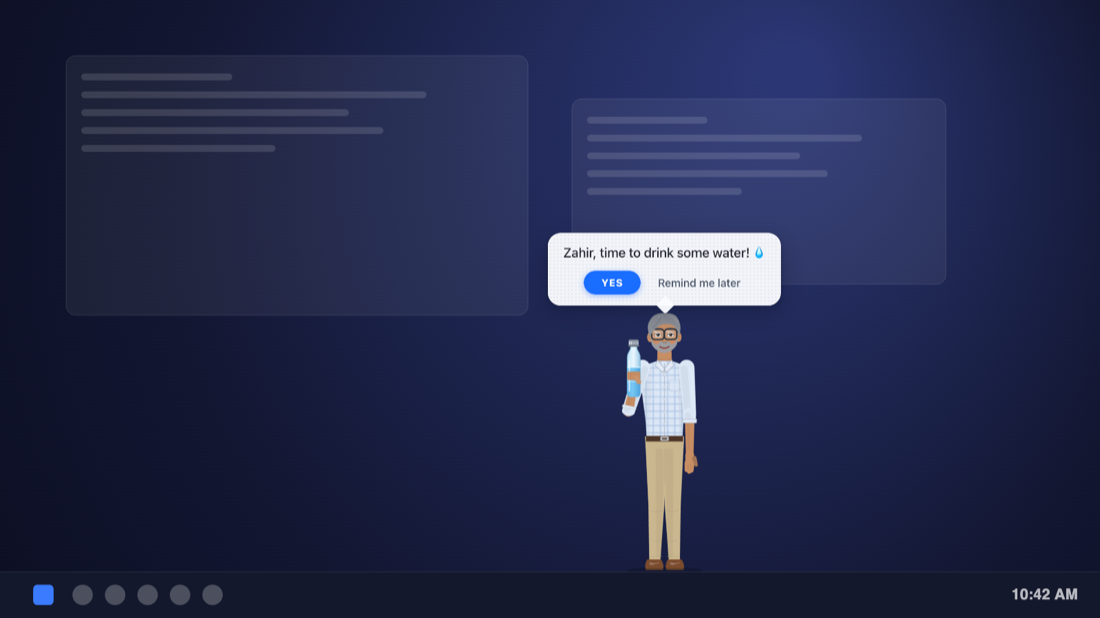
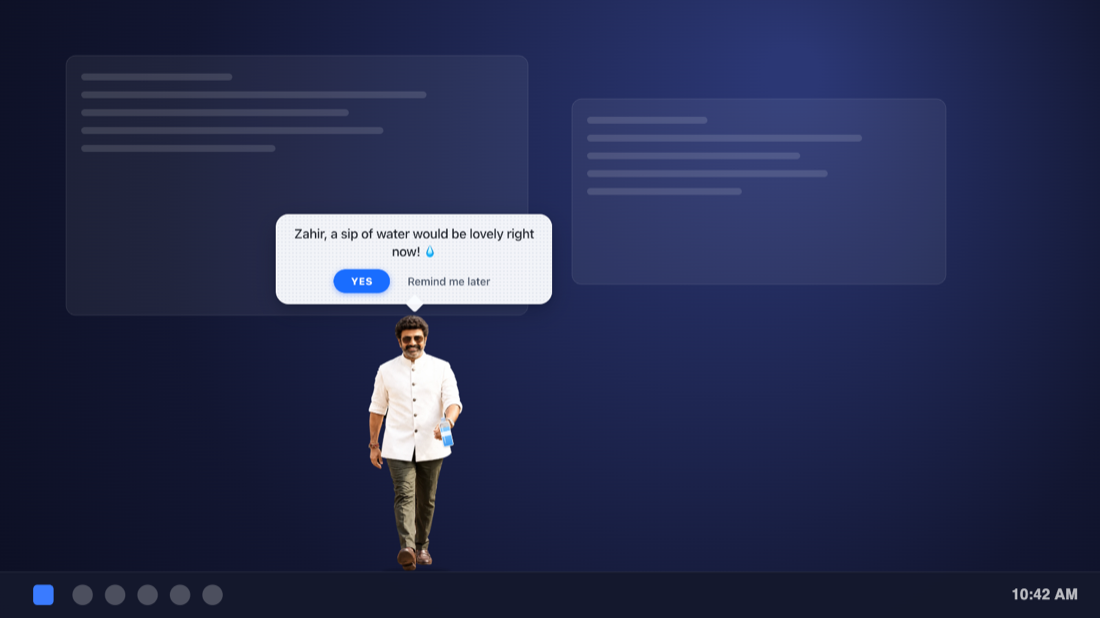
Sip Buddy is a tiny desktop app. When it is time, a full-size companion strolls in along your taskbar, turns to you, holds up a water bottle and asks by name: YES or Remind me later. Then it takes a sip, strikes a pose and walks off. Friendly, funny, and never in your way.
This is the real companion, running in your browser. Click YES or Remind me later.
Like a coworker who actually remembers
It walks in
At your chosen interval your companion strolls along the bottom of the screen, right above the taskbar or Dock, then turns to face you.
It asks, by name
A bottle goes up and a bubble appears: “Zahir, time to drink some water!” Pick YES or Remind me later.
It celebrates and leaves
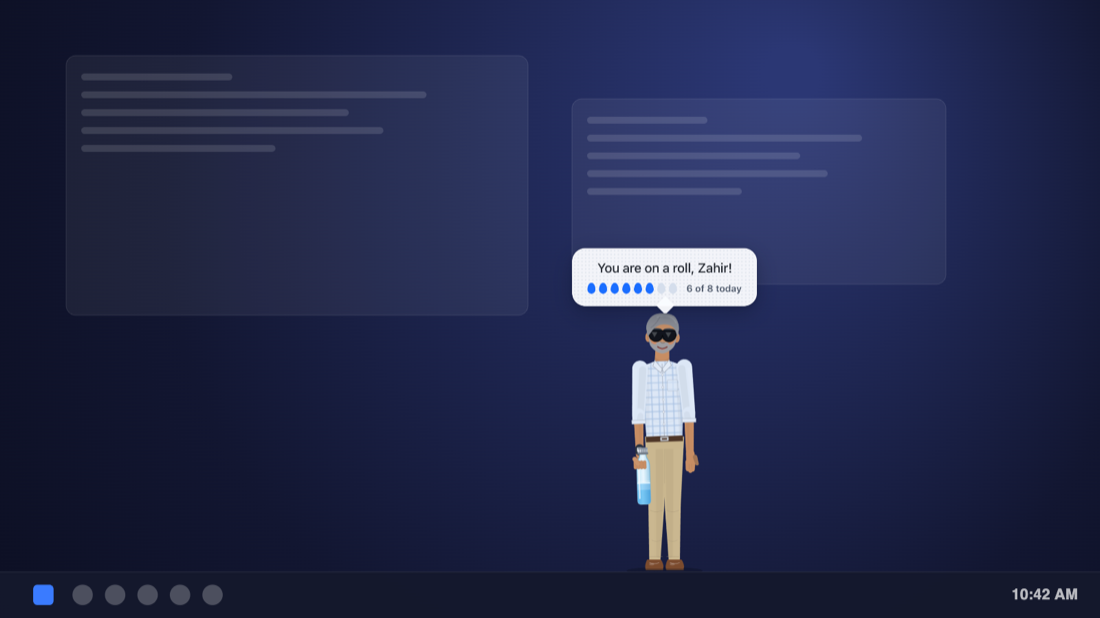
YES means a sip, a cool pair of sunglasses (or a thumbs up) and a walk off the other side. “Later” brings it back in 5 to 30 minutes.
Present, not pushy
The companion floats above your work without taking over: clicks pass straight through it, it never steals keyboard focus, and it leaves on its own.
Walks onto your screen
A full-body animated figure with a real walk cycle, not a corner pop-up. It follows the screen your mouse is on.
Says your name
“Sam, a sip of water would be lovely right now!” Pick Cheerful, Chill or Sassy for the tone.
Yes or Later
One click logs a glass. “Later” snoozes for 5 to 30 minutes. Prefer the keyboard? Ctrl/Cmd+Alt+Y or L.
Six companions, or your own
Choose a character, or use your own full-body cut-out picture and it will walk, hold and wave too.
Your schedule
Every 10 minutes to 4 hours, only on the days and hours you choose. It waits while you are away from the computer.
Daily goal
Track glasses against your goal, with a weekly chart in settings and today's count in the tray.
Pick your buddy
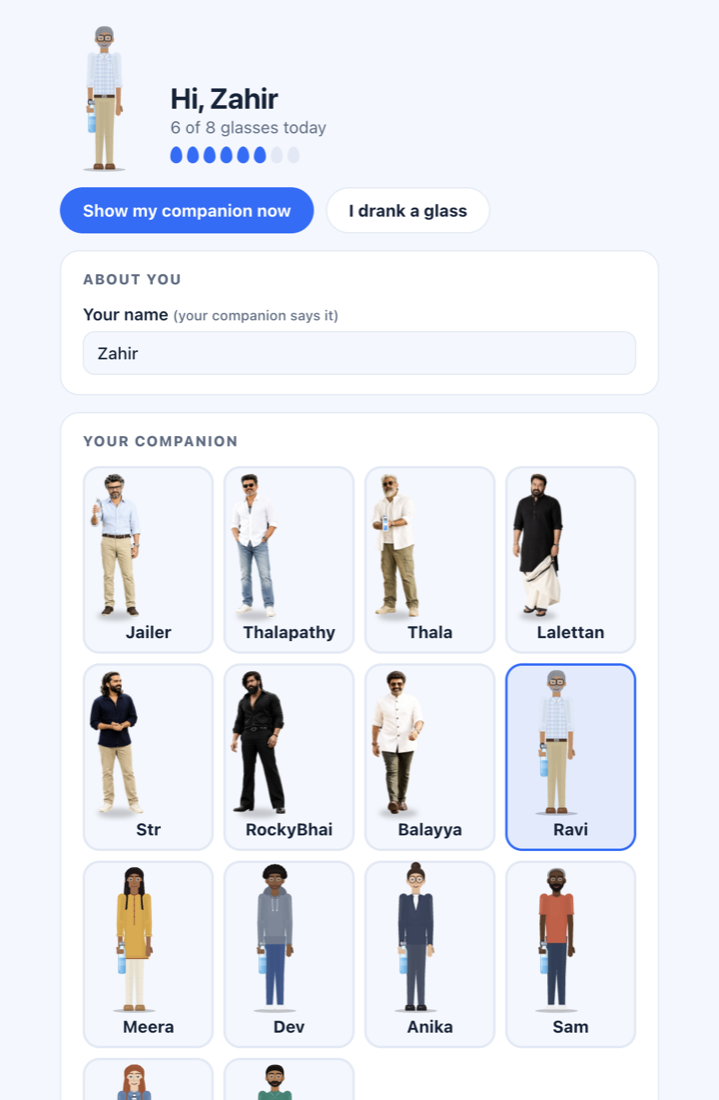
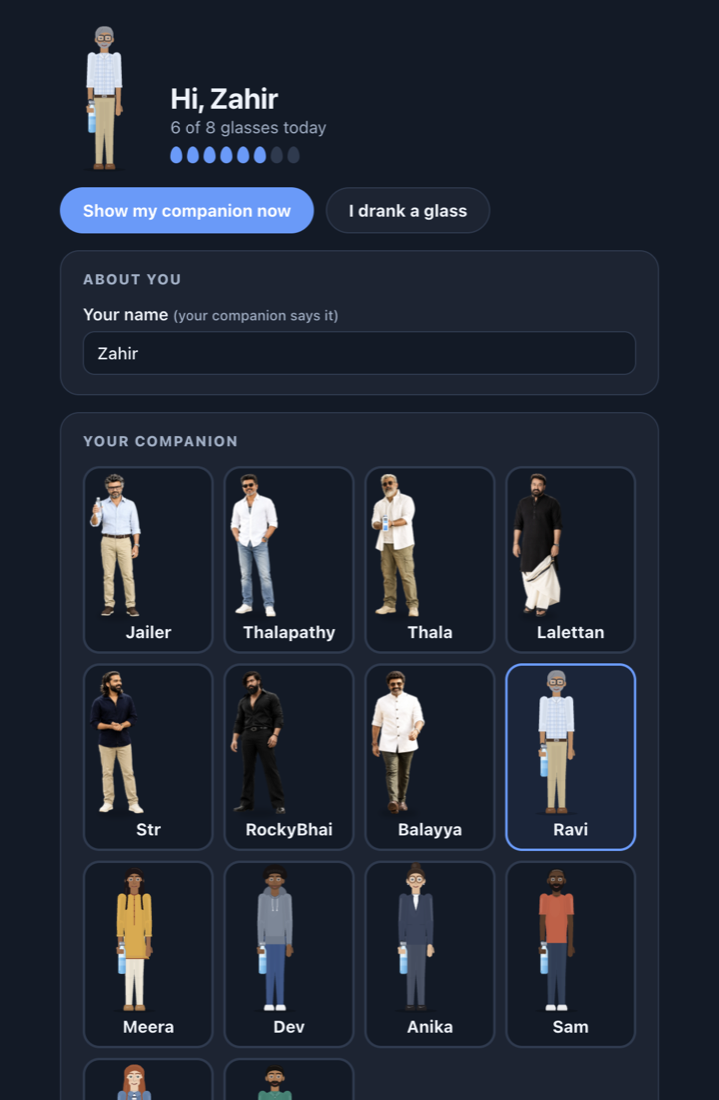
Eight photo companions, then seven original illustrated characters. Every one blinks, breathes, glances around and walks in with a natural step, and each has the same moves: walk, hold, sip, wave, shrug and a cool sunglasses moment. Switch the mood to hear how they talk. These are real lines from the app.
Want it to be someone else? Use your own picture. Choose a full-body PNG with a transparent background and your companion becomes that picture, with a natural walk, bob and wave. The picture stays on your computer.
Big personality, small footprint
Get Sip Buddy
Free. No account. Works offline.
🪟 Windows install
- Run Sip Buddy Setup.
- If SmartScreen says “Windows protected your PC”, click More info, then Run anyway. The installer isn't code-signed yet.
- Sip Buddy opens its settings and sits in the system tray (bottom-right, maybe under the ^ arrow).
🍎 macOS install
Sip Buddy isn't notarized by Apple yet, so macOS asks you to approve it once. Pick either way:
Easiest, no prompts. Open Terminal (Spotlight → “Terminal”), paste this and press Return. It downloads the right build for your Mac, checks it, installs it in Applications and opens it:
Or use the .dmg:
- Open the .dmg, drag Sip Buddy to Applications, and open it.
- macOS says “Apple could not verify Sip Buddy…”. Click Done.
- Open System Settings → Privacy & Security, scroll to Security, click Open Anyway next to Sip Buddy, enter your password or Touch ID, then Open. You only do this once.
- If it says the app is “damaged” instead, run this in Terminal, then open it again:xattr -cr "/Applications/Sip Buddy.app"
Sip Buddy for Chrome
The same companion, right inside your browser. It walks onto the page you are looking at, asks by name, and walks off. Works in Chrome, Edge, Brave and other Chromium browsers. Free, no account.
🧩 Chrome extension
Chrome 110 or newer · all 14 companions · reminders, daily goal and weekly chart.
⬇ Download extension (.zip)Install in 4 steps
- Unzip the download into a folder you will keep, such as Documents/SipBuddy.
- Open chrome://extensions and turn on Developer mode (top right).
- Click Load unpacked and choose the unzipped folder.
- Pin the 💧 icon. Settings open on their own so you can pick your companion.
Good to know
- “Read and change all your data on all websites” is how Chrome words the permission to draw on top of a page. Sip Buddy only draws its companion there. It never reads, collects or sends anything from your pages.
- It appears on the tab you are looking at. On pages Chrome blocks (like chrome:// pages or the Web Store), or when another app is in front, you get a notification with YES and Remind me later instead.
- Everything is stored on your computer with Chrome's own storage. No network requests, no account, no analytics.
Your water is your business
100% local
Your name, settings, today's count and your own picture (if you choose one) stay in a small folder on your computer.
No network
No analytics, ads, accounts or update pings. It works fully offline.
Easy to remove
Uninstall the app and delete its data folder (Sip Buddy in your app-data directory) to erase everything.
Fun, experimental, tech and non-tech projects keep landing here.